

OLED Display – HDfury Vertex user manual
The Vertex splash screen, the default signal info page and the selectable OLED pages with HDR and signal details.
ALL CHAPTERS

Immediately upon power up, the Vertex splash screen will appear on the OLED Display.

By default, Vertex will start on its signal info page, from this page you can easily see all signals coming in and going out as well as the capabilities of your connected equipment. Please note that you can define the default Vertex starting page from IR, GUI, RS232 or Android/iOS APP. You can also cycle through all available page using the INFO/OLED button. (see p.9)
→ See: OLED / INFO control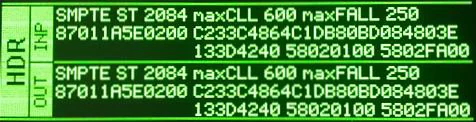
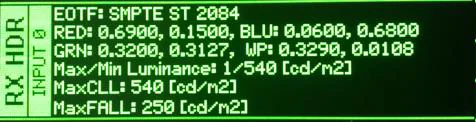

HDR and more signal detailed information are available through the selectable OLED pages.
Source: official User Manual 4K Vertex, Rev 1.30. Text and figures © HDfury, reproduced for Vertex owners.