

USER MANUAL · 4K VERTEX · REV 1.30
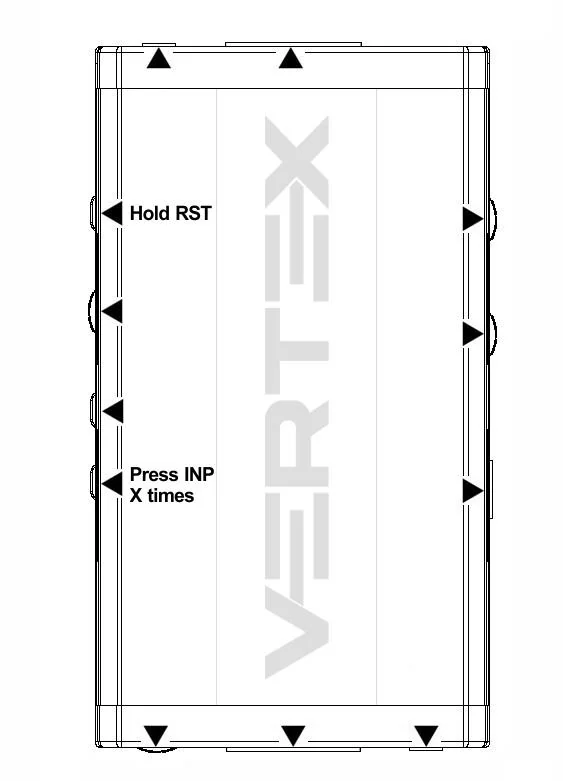

Combo Hold RST + Press INP
How to clear the lock icon shown after a firmware flash by holding RST and pressing INP twice.
ALL CHAPTERS
GETTING STARTEDOverviewConnecting cablesPower / status OLEDReset HPD & factory defaultBackside stickerFRONT-PANEL CONTROLS & OLEDEDID mode selectionOLED / INFO controlInput switching & matrix modeHDCP settingsScaler settingsCombo RST + INPCombo INFO + INP (presets)OLED displayCustom EDID list (100 tables)SOFTWARE, UPDATES & CONTROLUSB driver (Windows)Firmware updateUSB GUI for WindowsRS232 controlAndroid / iOS appIR code listREFERENCEFAQHighlight featuresMain specificationsPro tipsCertifications
Since Firmware 1.14.1.20, by default after firmware flash, you will see a lock icon on Vertex OLED.
In case of any issue, simply hold RST button and press INP buttons 2 times, then release.
Vertex will prompt for power cycle. (remove/reconnect USB power cord)
After restart, lock icon will disappear and Vertex is ready to operate optimally.
GLOSSARY TERMS IN THIS CHAPTER
Source: official User Manual 4K Vertex, Rev 1.30. Text and figures © HDfury, reproduced for Vertex owners.